Team & permissions
Invite teammates so more than one person can manage your syncs. A team shares one account: everyone works on the same sites, email tool connections, sync rules, and event log. The account owner keeps control of the sensitive settings.
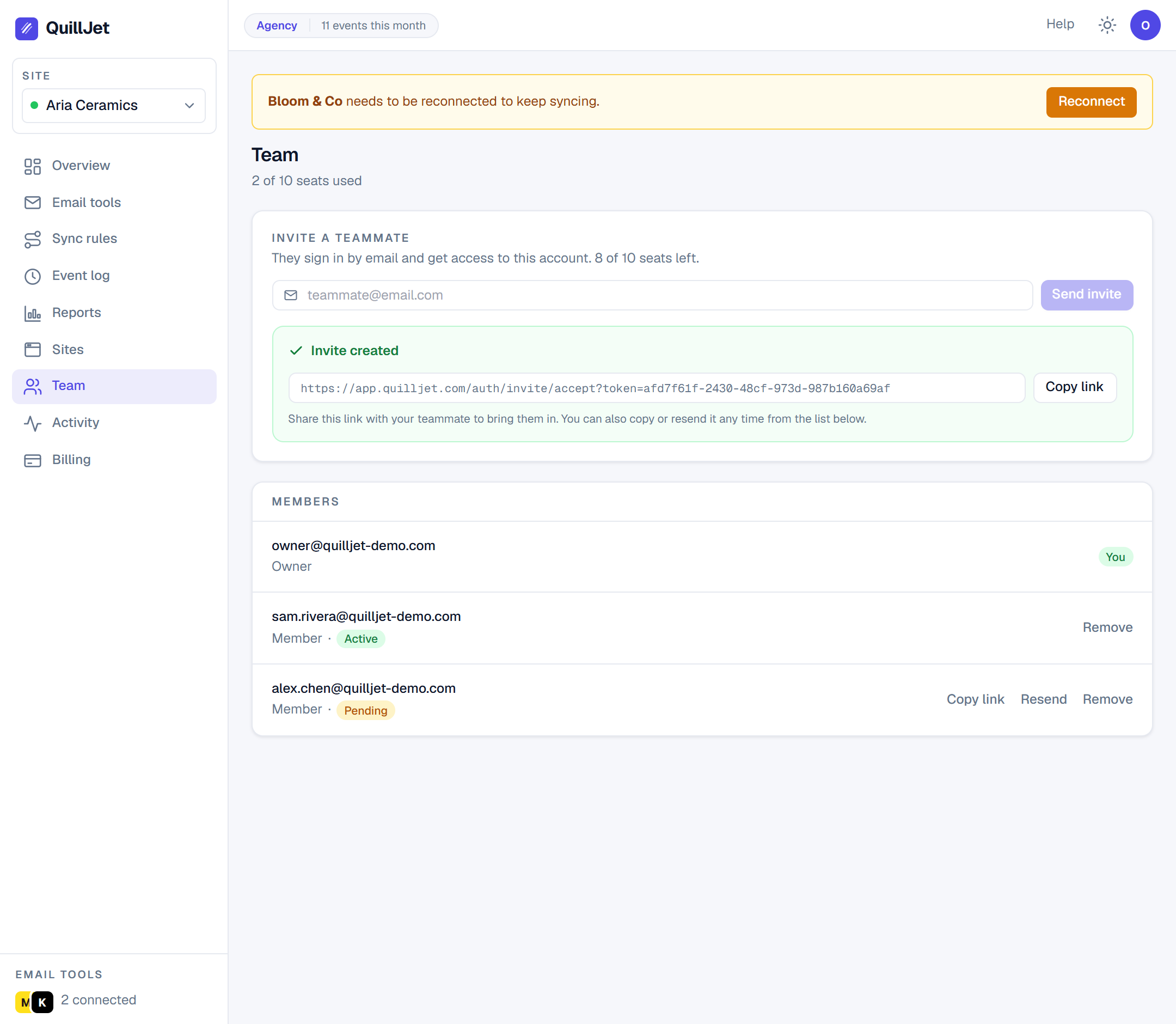
Inviting members (email invite + magic-link sign-in)
From the Team tab, the owner invites a person by email address. QuillJet creates the invite and produces an accept link.
- The invited person opens the accept link and lands straight in the panel, working inside your account. If they do not already have a QuillJet login, one is created for their email on the spot.
- Members sign back in later using magic-link sign-in: they request a link by email and click it, no password to manage.
- An invite is pending until it is accepted. The owner can cancel a pending invite at any time.
- A person can belong to one team at a time. If someone tries to accept a second invite while already on a team, QuillJet tells them they are already in a team.
Tip: Invite people using the same email address they will sign in with. The invite and the login are matched by email.
Owner vs member (owner-only: billing, team, account deletion, activity)
There are two roles: the owner (the person who created the account) and members.
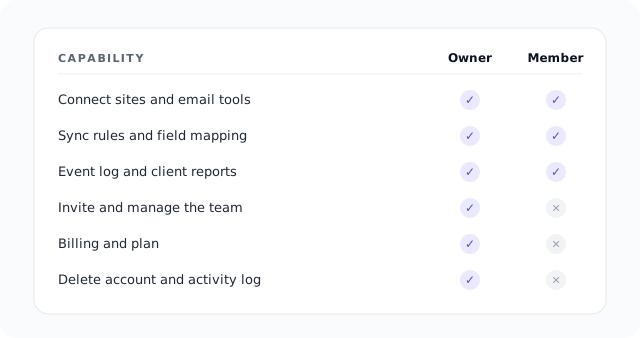
Members can do the day-to-day work: pause, resume and choose the events of the connected sites, connect and manage email tools, build and edit sync rules, read the event log, and retry deliveries. When a member is signed in, QuillJet resolves their session to the owner's account, so they see and act on the owner's data.
Some actions are owner-only. A member cannot reach these:
| Area | Owner | Member |
|---|---|---|
| Sites, email tools, sync rules, event log | Yes | Yes |
| Billing and plan changes | Yes | No |
| Team management (invite, remove, cancel invites) | Yes | No |
| Account deletion | Yes | No |
| Brand and white-label settings | Yes | No |
| Activity log | Yes | No |
Seats by plan (Agency = 10)
A seat is one person on the account, and the owner always counts as the first seat. Seats are set by your plan:
| Plan | Seats |
|---|---|
| Free | 1 |
| Growth | 1 |
| Pro | 1 |
| Agency | 10 |
On Free, Growth, and Pro the account is a single seat (just the owner), so the invite step is an Agency feature in practice. When every seat is used, a new invite or acceptance is refused with a seat-limit message until a seat is freed or you move to a plan with more seats. Removing a member frees their seat immediately. See billing and plans for the full plan comparison.
The activity log
The Activity tab (owner-only) records account actions so you have a paper trail. Team events are logged here, including when someone is invited, when a member joins, when a member is removed, and when a pending invite is cancelled. Use it to confirm who did what and when.